Agent and system monitor for developersv1.0.8
checkout-api
needs you.
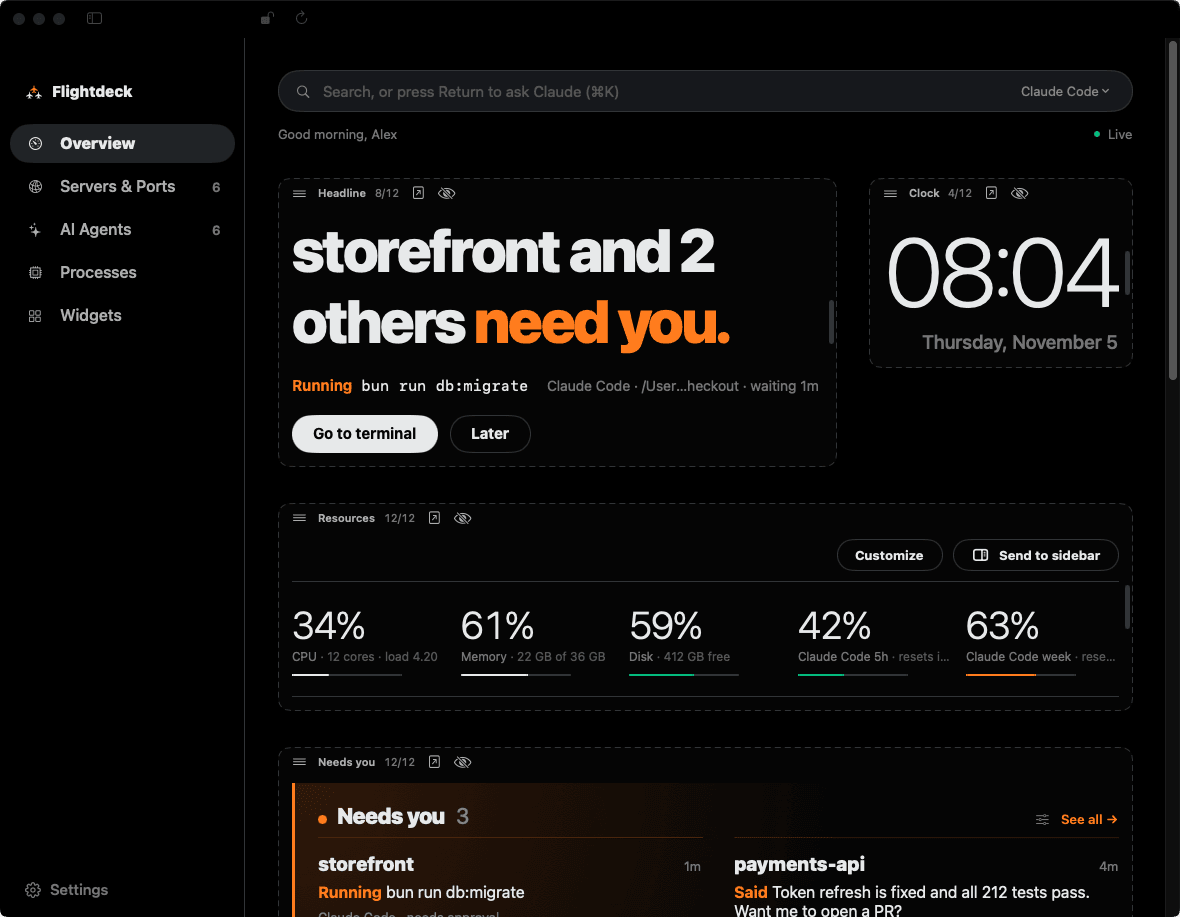
Flightdeck lives in the macOS menu bar and tells you which AI agents are working, which are waiting on you and where, next to your dev servers and system resources.
macOS 14+Apple Silicon and IntelFree and open sourceLinux coming later
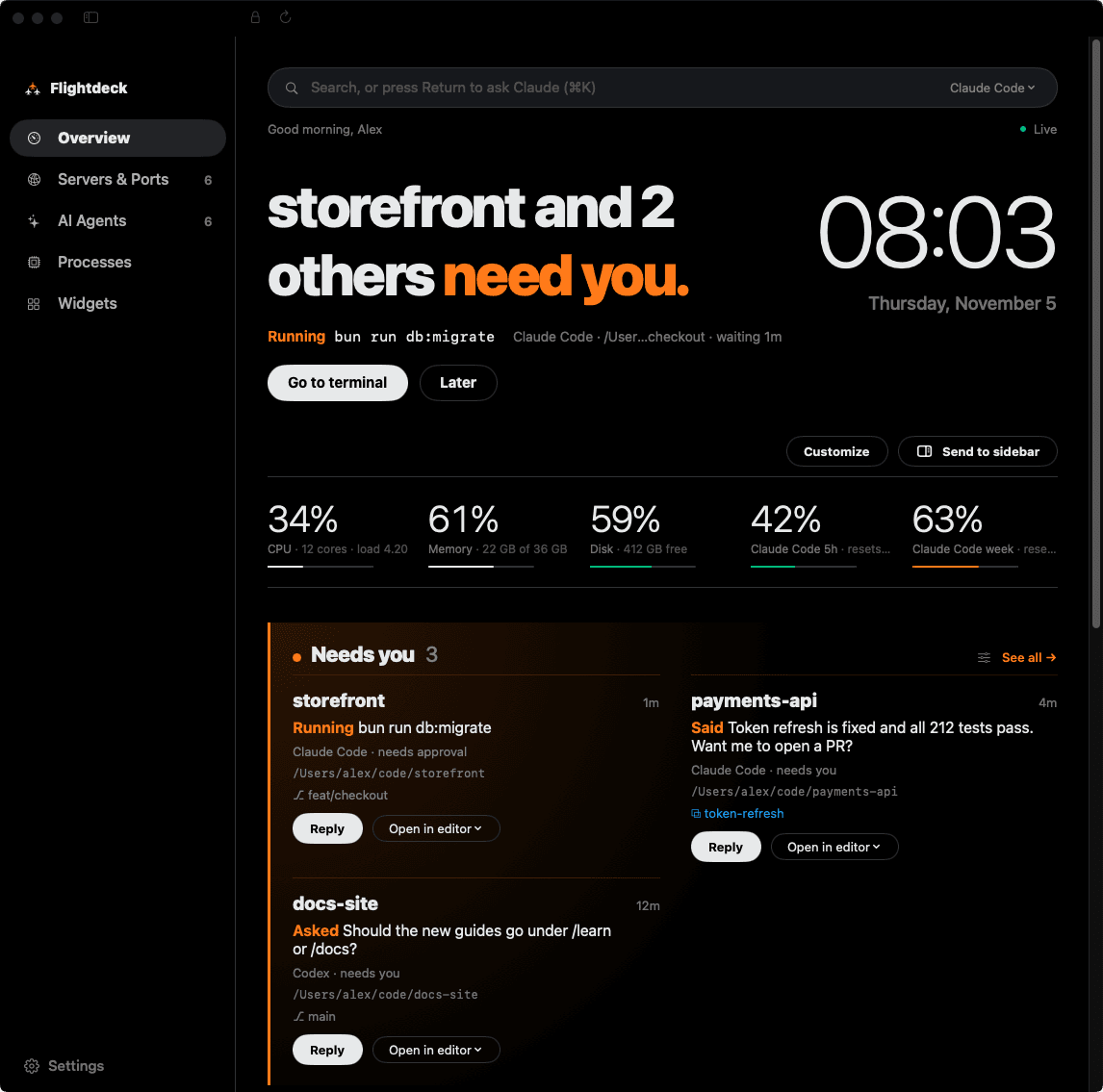
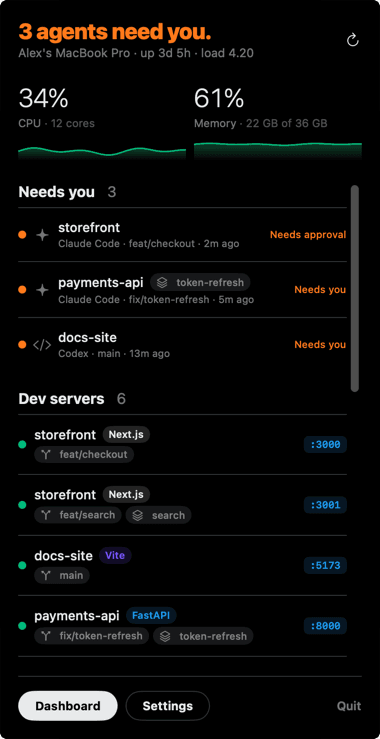
Every agent, one glance.
The one waiting on you goes first.
What's on deck.
- 01
AI agents
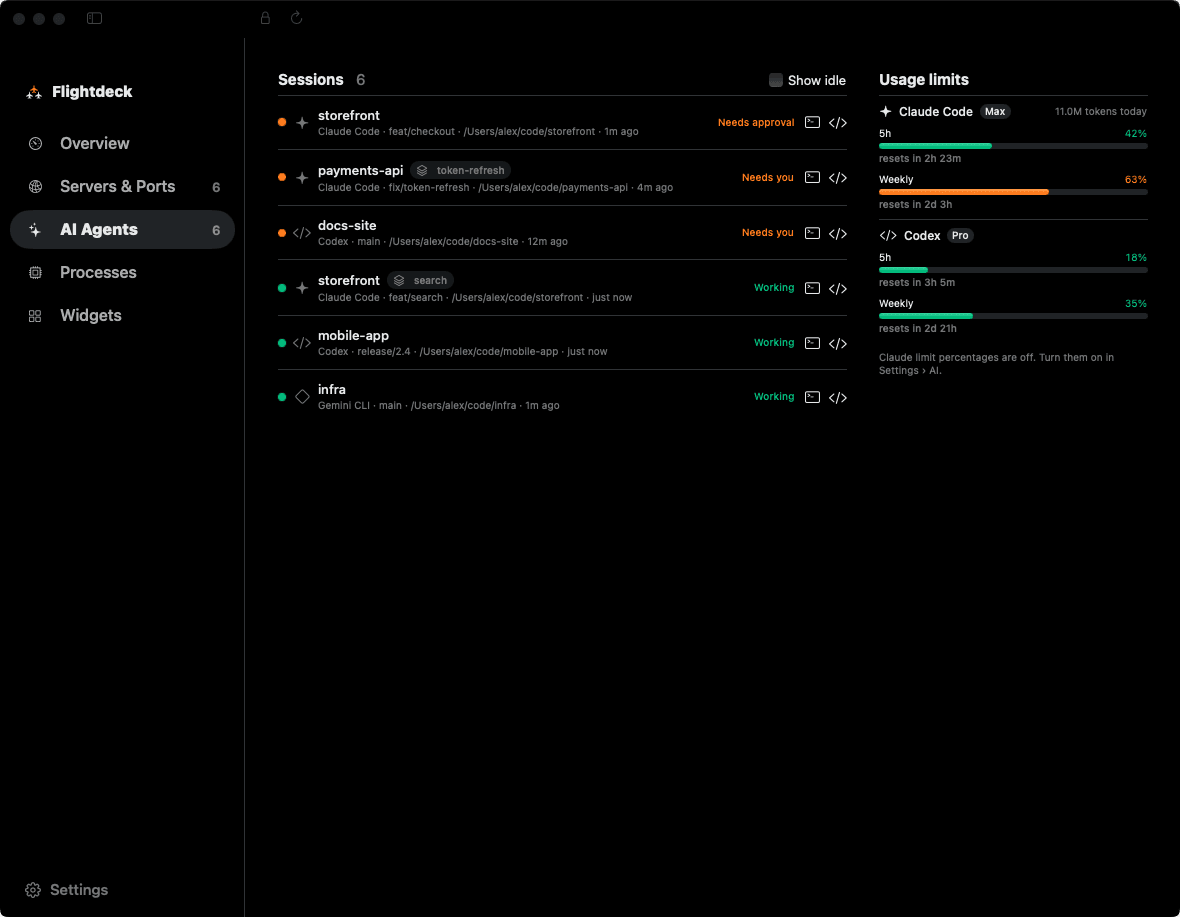
Which folders Claude Code, Codex and other agents are working in, and whether each is working, waiting for approval or waiting for you.
- 02
Needs you
The agent waiting on you leads the overview. Reply opens its terminal; hover a card and clear it until that agent does something new.
- 03
Dev servers
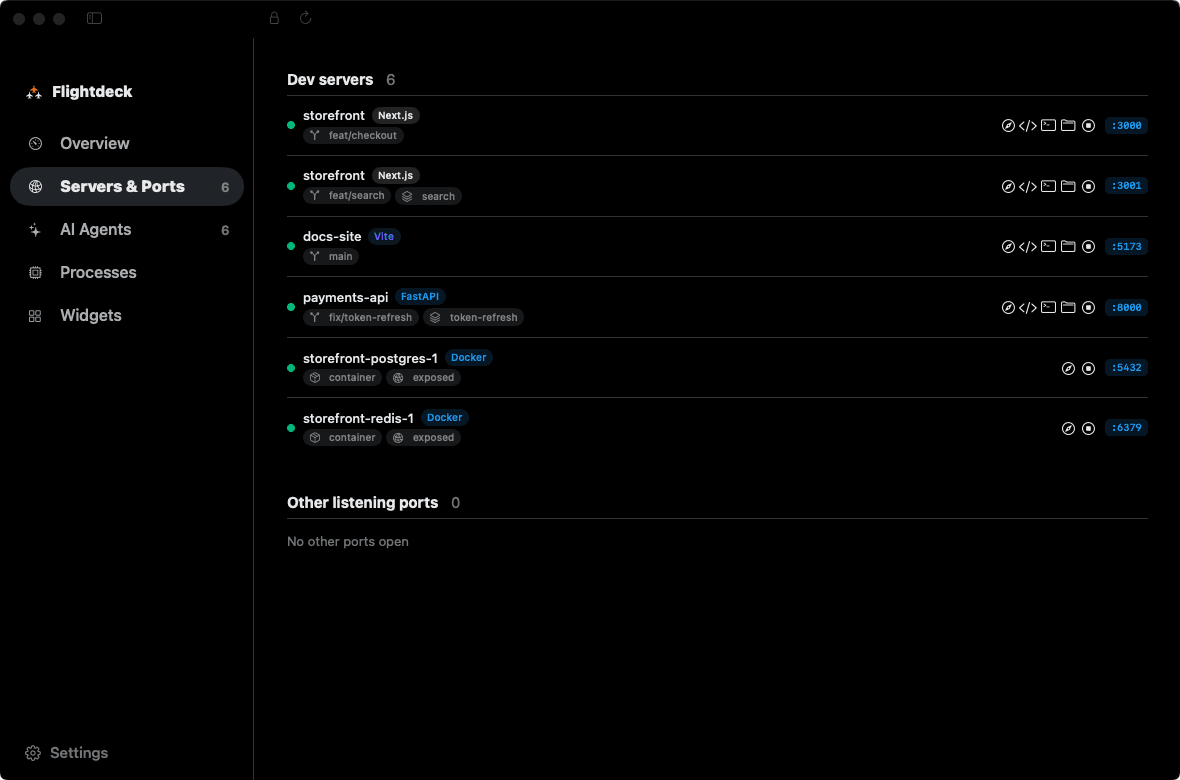
Every listening port mapped to its git project, branch and worktree, with the framework detected. Open it in the browser, editor or terminal, or stop it.
- 04
Ask Claude
Press ⌘K and ask about your agents, ports and usage. The answer opens in a palette, and agents it names open their terminal in one click.
- 05
System and limits
CPU, memory, network and disk with live sparklines, plus Codex and Claude usage limits read from local logs.
- 06
Your layout
13 themes, each with its own layout. Unlock any page to drag, resize or hide sections on a 12-column grid.
Near-black, loud where it matters.
Cleared for takeoff.
Homebrew
$ brew trust magnuspladsen/tap$ brew install --cask magnuspladsen/tap/flightdeckNewer Homebrew versions only load casks from taps you trust, hence the first line. The cask lives in magnuspladsen/homebrew-tap.
Download
Flightdeck.zip · v1.0.8Unzip and move it to Applications. It isn't notarized yet: if macOS blocks it, allow it under System Settings › Privacy & Security › Open Anyway.
It updates itself with Sparkle. Older builds are on the releases page.